
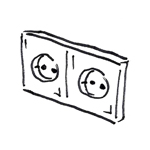
"Component" is a general term used to refer to all electronic components that are not included in the categories of electrical equipment, cable trays, conduit, and lighting.
No components will be created during this phase of the project.
No components will be created during this phase of the project.
Building on the conceptual design from the preliminary planning phase, the design process is continued in greater detail. This process takes into account all the specialized design disciplines integrated into the project planning, along with their specific requirements.
In Revit, "component" is an umbrella term that encompasses the following categories:
Presentation
The way each component is displayed varies depending on the category.
Color mapping
The following colors are assigned to the components:
Category: Color:
- Electrical wiring: See the distribution panel for color coding
- Electrical installation: RED
- Communication: GREEN
- Data: GREEN
- Fire alarm: BLUE
- Light switches: DEEP RED
- Emergency call: GREEN
- Security: GREEN
- Phone: GREEN
- Light: DEEP RED
The following colors are assigned to the components:
Category: Color:
- Electrical wiring: See the distribution panel for color coding
- Electrical installation: RED
- Communication: GREEN
- Data: GREEN
- Fire alarm: RED
- Light switches: DEEP RED
- Emergency call: BLUE
- Security: GREEN
- Phone: GREEN
- Light: DEEP RED
Features
- Entries for equipment that are approximately correct, indicated by symbols
- Recording of distribution systems
- Information on distribution supply areas
- Information on boundaries and fire compartments
- Information on room designations and special environmental conditions
- Preliminary sizing of openings
Labeling
No labels are necessary at this stage; the legend is sufficient here.
Instructions
The individual component families can be found in the Building Services tab, under the Electrical group, in the Component selection. The following family categories are available:
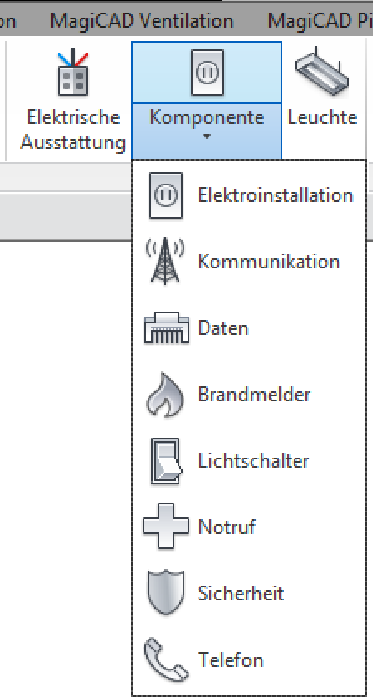
The components are placed on a surface or work surface:
If you select the desired component in the Building Services > Component tab, you can choose a part to which this object will be connected:
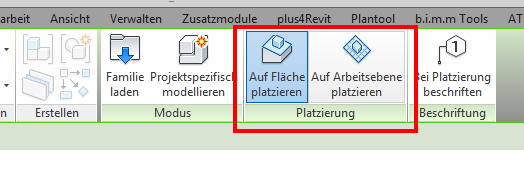
- Place on a surface, i.e., the component is placed on a surface of a part (surface-based).
- Place on a workplane, i.e., the component is placed on a workplane in the project (workplane-based)
Depending on its placement, the family moves along with its associated base part. This is particularly useful when making changes to the architecture. The advantage is that when the architecture is modified, the parts are moved accordingly. However, the disadvantage of this method is that if the layer or the component is deleted, the placed family will also disappear.
Graphical interface
In electrical engineering, the level of detail determines the design of components.
In short:
At this level of detail, the standard symbol is displayed.
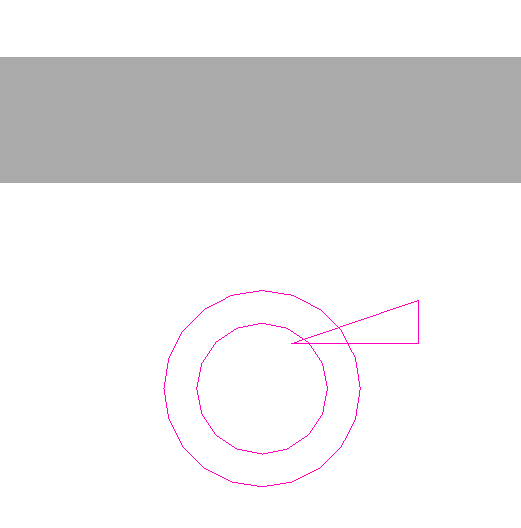
Means:
At this level of detail, the standard symbol and the 3D component are displayed.
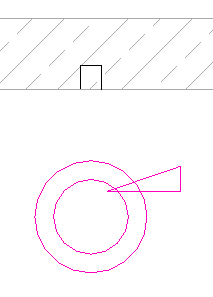
Fine:
At this level of detail, only the 3D component is displayed.
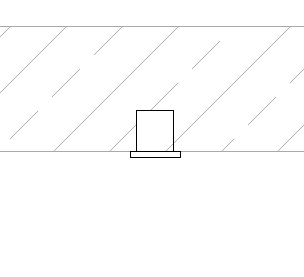
The permit application or submission documentation is prepared following the design phase (system and integration planning), along with an accompanying system description tailored to the requirements of the system components to be approved, for submission to the relevant authorities.
During this phase, only the emergency lighting in the building will be installed.
You also need to maintain additional information:
- Correct identification of equipment using symbols
- Specification of mounting height (label for mounting height)
- Assignment of switching groups for lighting systems
- Specification of circuits in distribution lists
Features
- Circuit
- Circuit group
In this service phase, the individual categories are handled differently. For more information, please refer to the respective category:
- Electrical Installation
- Communications
- Data
- Fire alarms
- Light switches
- Emergency call
- Security
- Phone
Revit Content

Unfortunately, this content is available only to our Pro users.
If you'd like to read the full article, try the Pro account or become a Pro user.