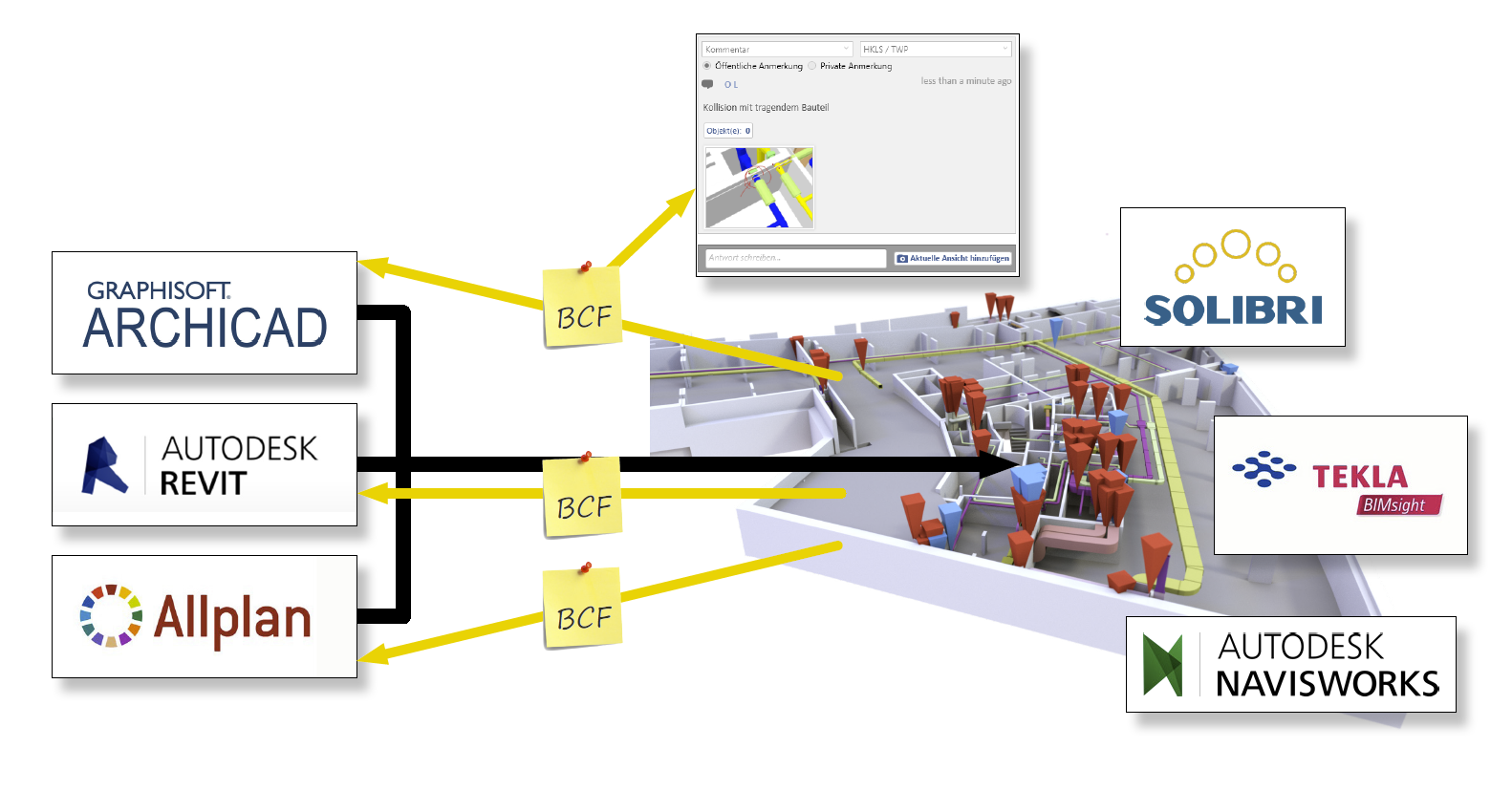
The BIM Collaboration Format (BCF) is used for coordination and model-based communication of interdisciplinary content within the BIM workflow. The file format is supported by all common BIM authoring tools (Revit, ArchiCAD, Allplan, Tekla, Plancal, DDS CAD, etc.) and review programs (Solibri, Tekla BIM Sight, Navisworks, etc.). It is therefore completely platform-independent and a key pillar of the Open BIM methodology.
This standard was developed by buildingSMART; you can find their description here. buildingSMART also provides a list of programs that support BCF
A BCF file is typically generated when a model check identifies a problem, such as a missing penetration detected as a result of a clash detection check between the MEP and building models. To effectively communicate this issue within the design and construction team, the following information is summarized:
- Screenshot of the problem from the 3D model
- Corresponding camera position in the 3D model
- Text description of the problem (optional)
- Textual or graphical proposed solution (optional)
- Responsibility (optional)
- Status (e.g., detected, assigned, ignored, etc., optional)
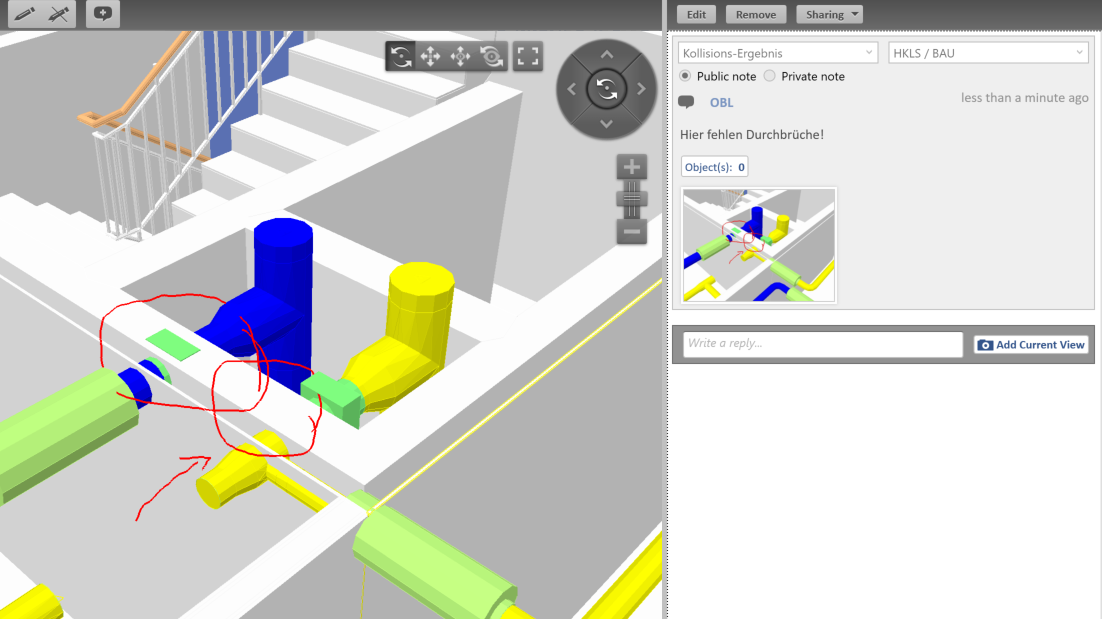
This information is saved together in the BCF file format directly from the inspection software. If the BCF file is then imported into an authoring tool such as Revit or ArchiCAD, the user can select the relevant issue to go directly to the correct location in the model—their view of the issue matches that of the inspector (the camera position is stored in the BCF for this purpose). They also see the associated screenshot, the problem description, and the proposed solution.
However, the BCF format is not only suitable for communicating inspection results—it also offers great potential for recording the outcomes and solutions from construction meetings, as well as for communicating with clients and contractors in general.
Learn how to work with the BCF format in various software environments in our video tutorials: