
Model-based communication refers to methods for storing meeting and inspection results at a specific stage of planning or construction within a virtual building model. This is done using tools and data formats specifically developed for this purpose.
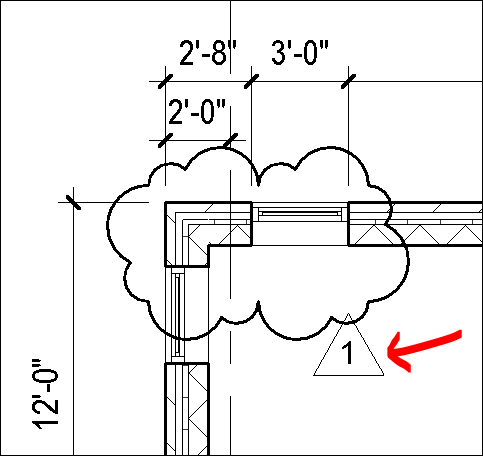
In the CAD era, a precursor to this method was graphical communication: using graphical markers (such as the AutoCAD cloud), areas in drawings that required coordination were highlighted.
In the BIM workflow, such markings are now spatialized and tagged with additional metadata. To put it simply, you can think of it as if an existing problem in the model were marked with a Post-it note. This Post-it note is filled with relevant information (e.g., when and by whom it was discovered, who is responsible?) and stored in the correct 3D position within the model. It can then be opened again in other programs and will also be displayed at the corresponding location in the model there.
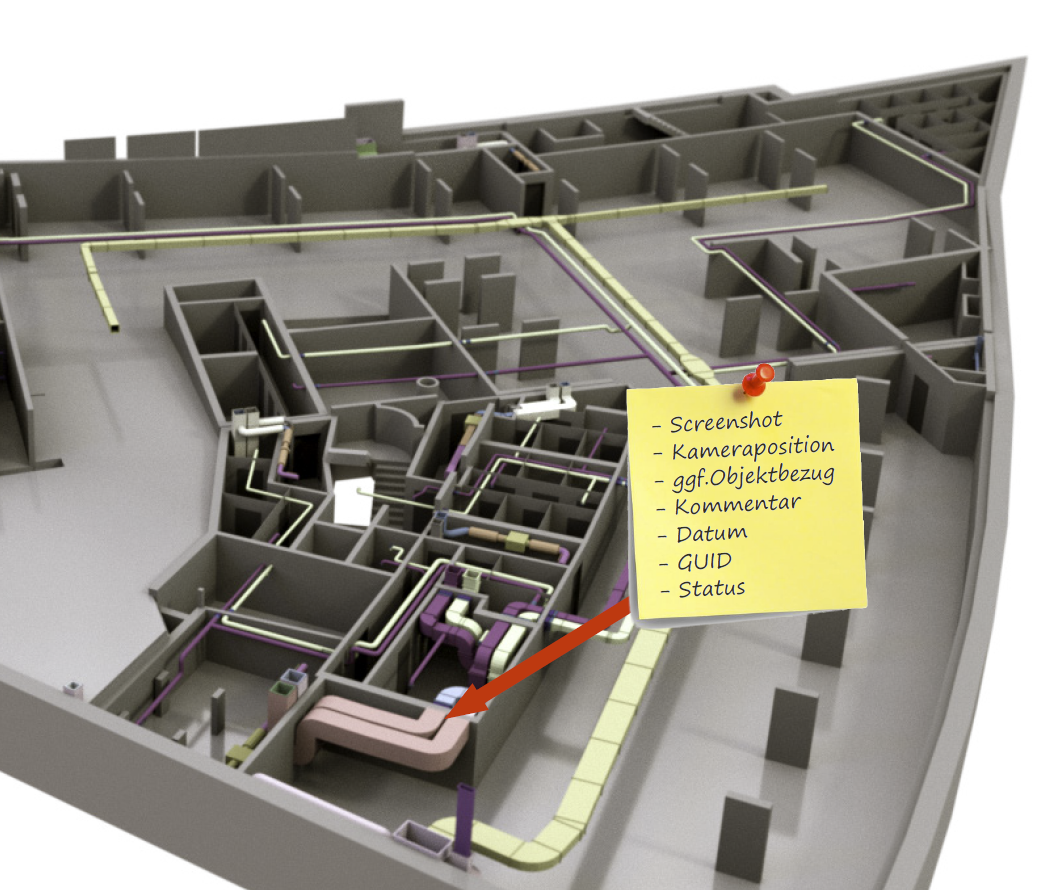
Such a "Post-it" is now saved in a specific data format known as the BIM Collaboration Format, or BCF for short. A BCF file can contain one or many such "Post-its." If you open a BCF file in any BIM software, the view immediately jumps to the camera perspective where the problem was marked.
The BCF file format is supported by all common BIM authoring tools (Revit, ArchiCAD, Allplan, Tekla, Plancal, DDS CAD, etc.) and review programs (Solibri, Tekla BIM Sight, Navisworks, etc.). It is therefore completely platform-independent and can be used in many software configurations. Model-based communication using BCF workflows thus forms a key pillar of the Open BIM method, but can also be used in Closed BIM systems.
An example of model-based communication is the transfer of a review result from the Solibri software to a Revit model:
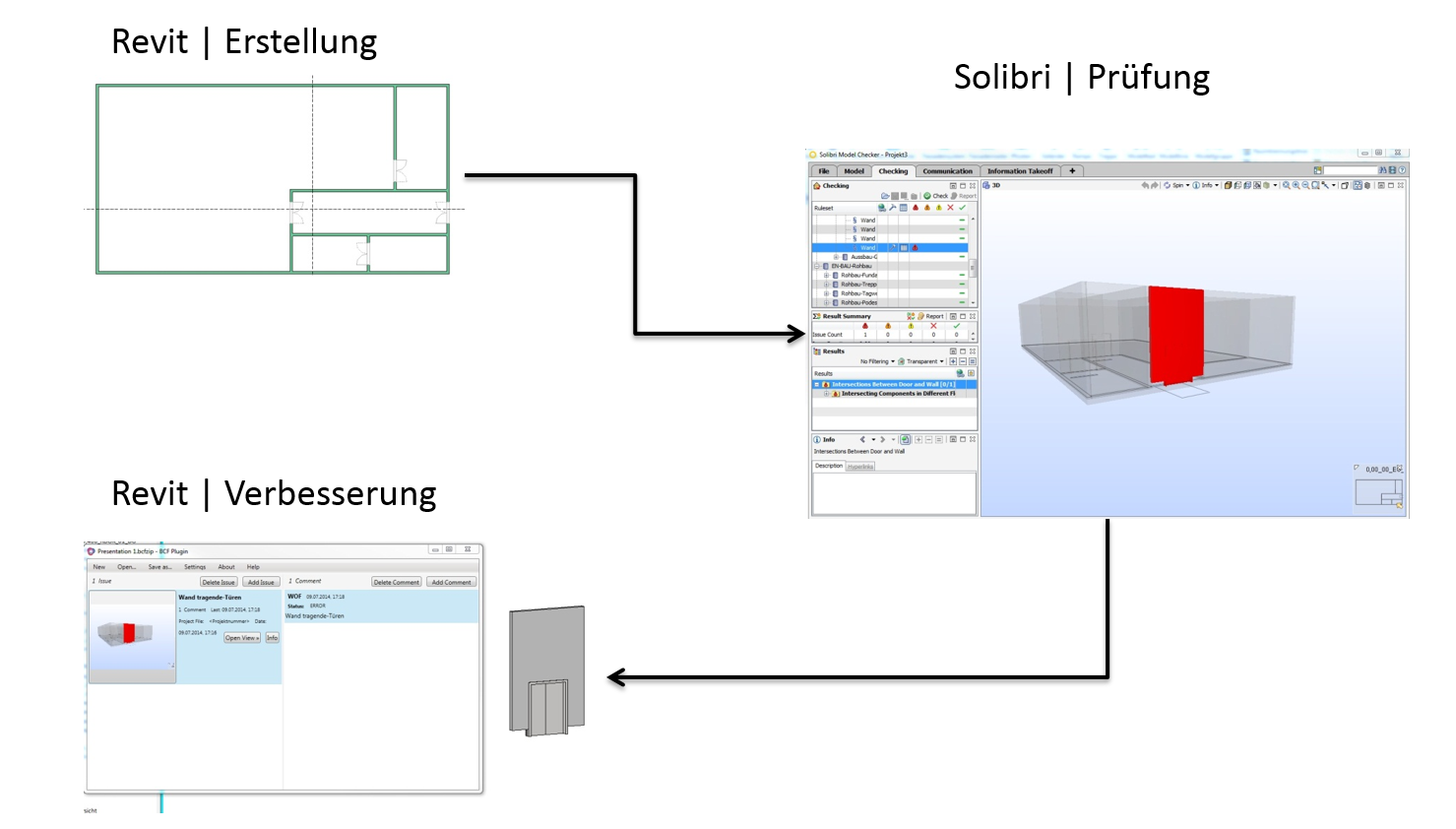
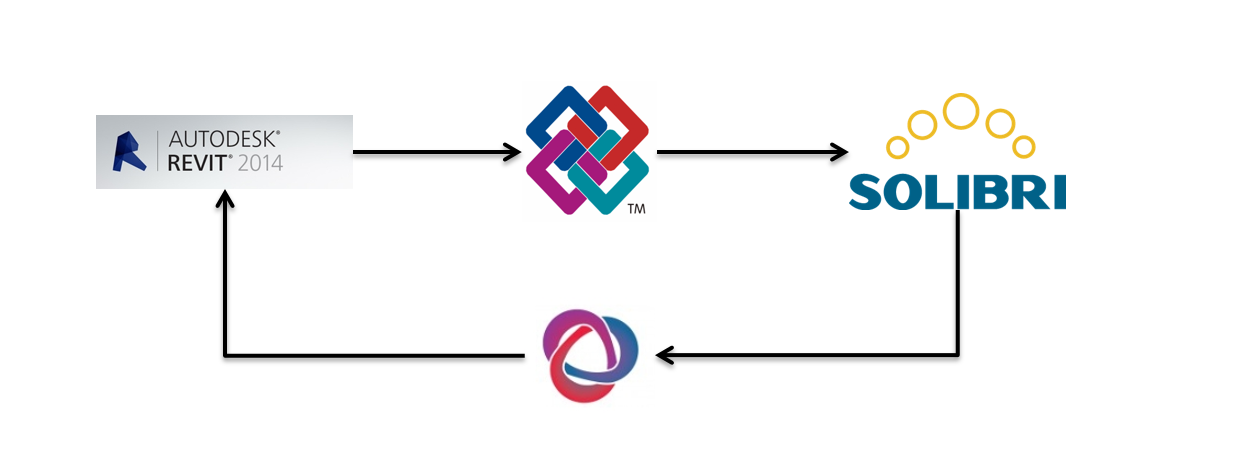
First, the model is exported from Revit to IFC format. This IFC file is checked for quality in Solibri, and any issues are imported back into Revit using the BCF format.
Learn how to work with the BCF format in various software environments in our video tutorials: