
Lighting refers to all artificial light sources. The required artificial lighting specifications are determined by the intended use of the space. The type of lighting—including the number of fixtures, their specific placement, and the choice of light sources—is derived from the client’s requirements and the architectural concept. Based on this selection, the lighting calculation is performed in the program to ensure compliance with the criteria of the applicable standards (EN 12464-1, EN 12193). In Revit, lighting corresponds to the "Luminaires" family category.
Lighting will not be modeled in this phase of the project.
In this phase of the project, the illuminance levels for the rooms (building model) within the building are defined; these are required for the lighting plans.
Presentation
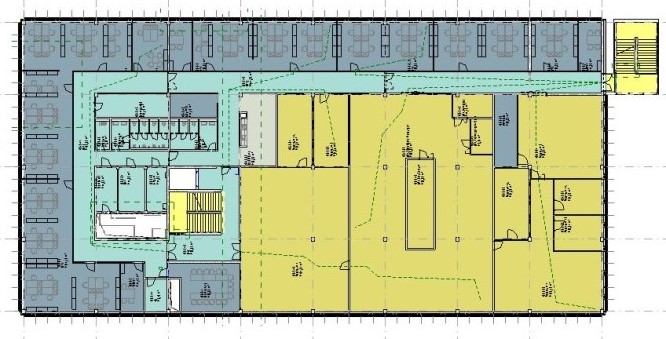
img_11
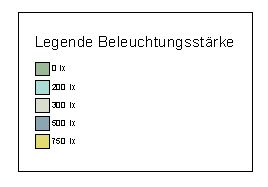
img 13
Features
In this phase, the following attribute is defined:
- Illuminance
Labeling
No labels are needed at this stage. The existing legend is perfectly sufficient here.
Instructions
During the design phase, all types of lighting fixtures are defined according to their location and power rating.
For example:
- FR-WL - Wet-room wall light
- FR-RL - Damp-proof grid luminaire
- E-DL - Recessed downlight
- A-DL - Surface-mounted downlight
- RL - Louvre luminaire
- WL - Wall light
Presentation
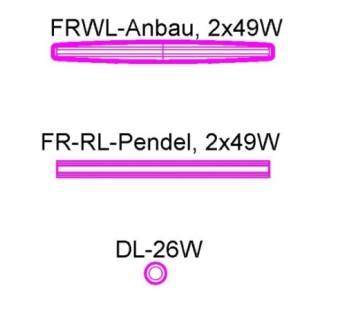
Plan view
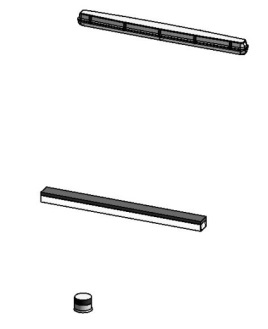
Model representation
Features
The following characteristics are defined in this phase:
- Dimensions
- Mounting height
- Light fixture type
- Power
Labeling
Ideally, the lighting fixtures should be labeled using a family that retrieves the necessary information from the elements' parameters and properties.
During this phase, the following information must be labeled:
- Light fixture type
- Power
Instructions
Once the families have been loaded into the project, they will be visible in the Building Services tab after clicking the "Lighting" button.


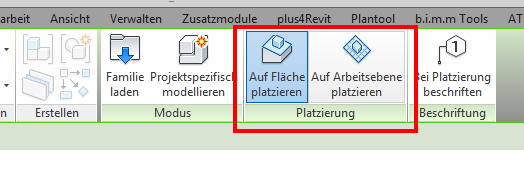
- Placing on a surface means that the component is placed on a surface of the part (surface-based).
- Placing on a workplane means that the component is placed on a workplane in the project (workplane-based).
Depending on its placement, the family moves along with its associated base component. This is particularly useful when modifying the architecture. However, the downside of this method is that if the layer or component is deleted, the placed family will also disappear.
If a light fixture has already been placed in the model, you can use the Copy or Create Similar commands to duplicate the placed light fixture with the settings and references that have already been applied.
Lighting is not included in this phase of the project. However, the lighting must be listed in the technical report, and compliance with standards must be described.
Presentation
In this phase, the plans and models remain unchanged from the design phase.
Features
The following characteristics must be defined in this phase:
- The lights are created at actual size and at the exact heights.
- The types of luminaires to be installed are defined, including their wattage.
- It is possible to add the power and/or circuit designation for each light fixture.
Labeling
At this stage, the following information should be added to the labeling:
- Circuit
- Circuit group
Instructions

Unfortunately, this content is available only to our Pro users.
If you'd like to read the full article, try the Pro account or become a Pro user.