
The following article discusses IFC exports from ArchiCAD to Revit Structure. For more information on IFC and interfaces, see the article "Overview of IFC Interfaces."
Search terms:
File format, collaboration, integrated design, data import, data export, transfer, mapping, parameter mapping, assignment, interdisciplinary, authoring tools, software, modeling, data format
Important:
To ensure an optimal structural IFC export from ArchiCAD to Revit, the model must be prepared accordingly.
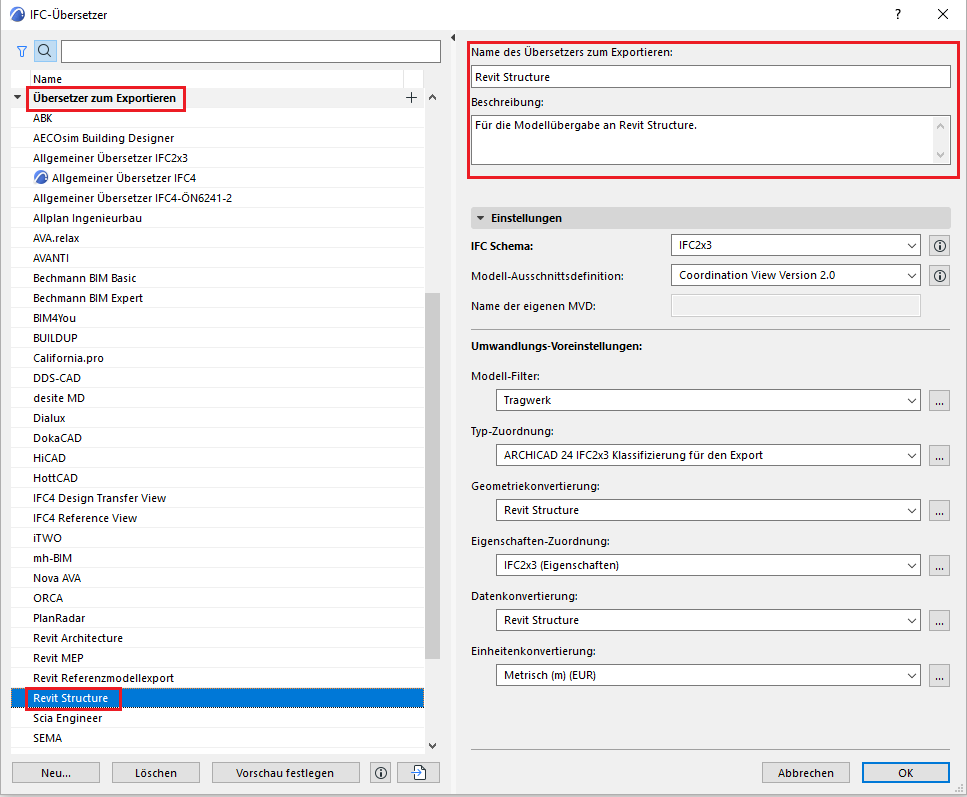
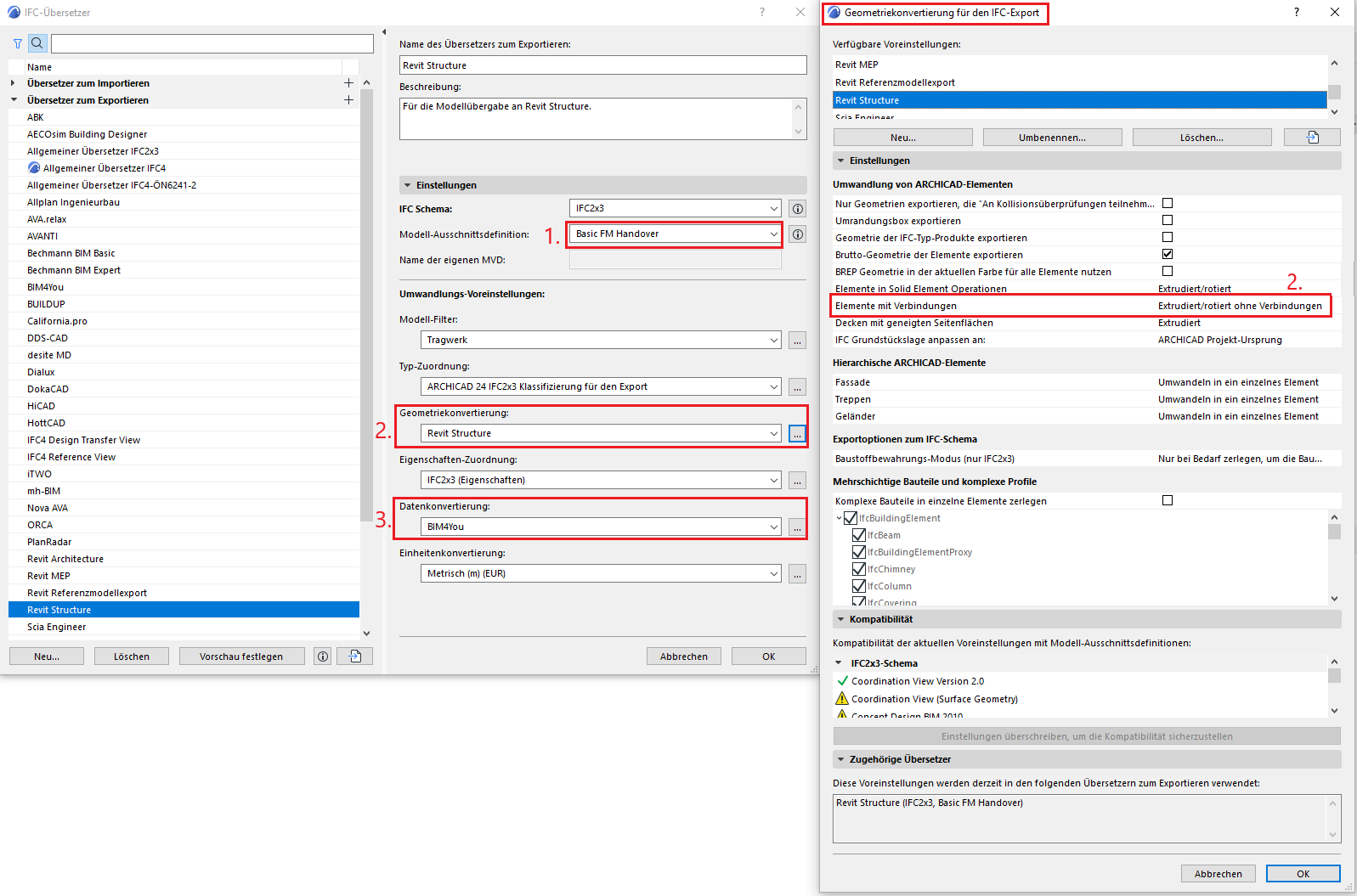
ArchiCAD includes a special translator for structural IFC export: Revit Structure
This can be found under File > Interoperability > IFC > IFC Translators > Export Translators > Revit Structure:
The translator's settings can be adjusted slightly to optimize the IFC export.
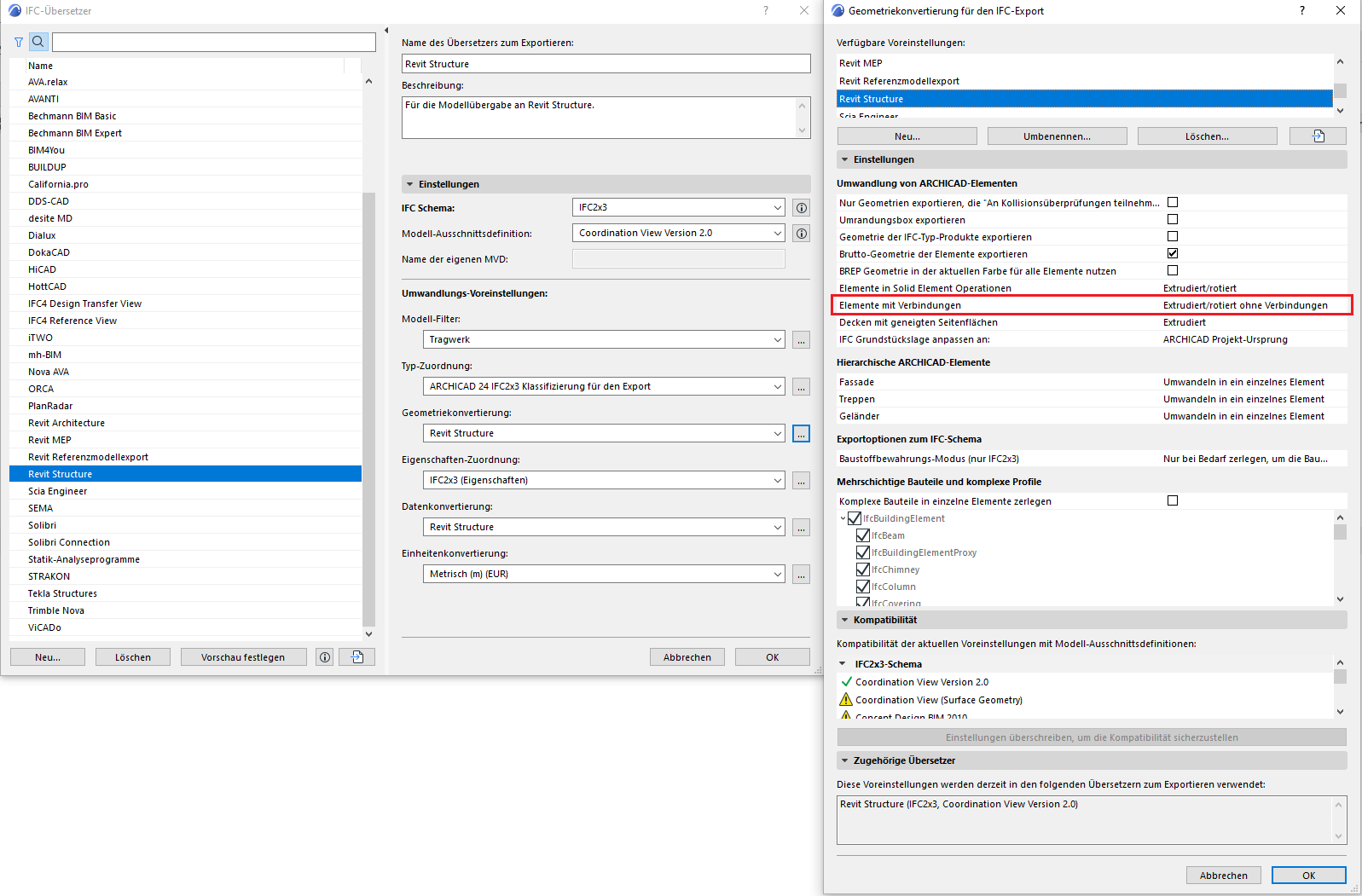
The geometry conversion is important: The default setting for the Revit Structure translator is "Extruded/rotated without connection."
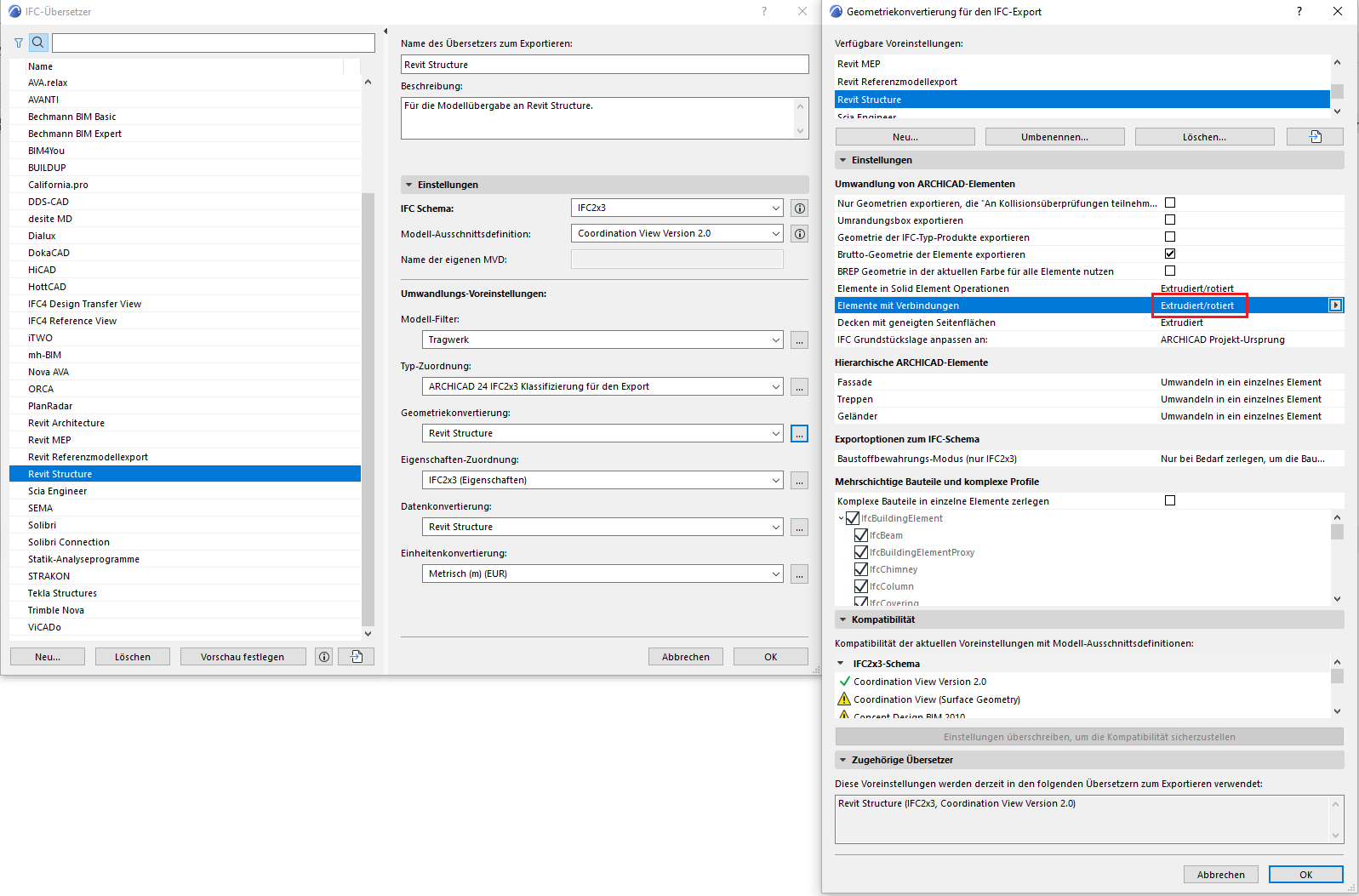
You can also set the geometry conversion to "Extruded/Rotated" only, so that the connections are not broken. Nevertheless, problems remain; do not expect 100% accurate geometry when importing into Revit. For example, beams or walls with complex profiles will still not be connected correctly, and material priorities will also be ignored.
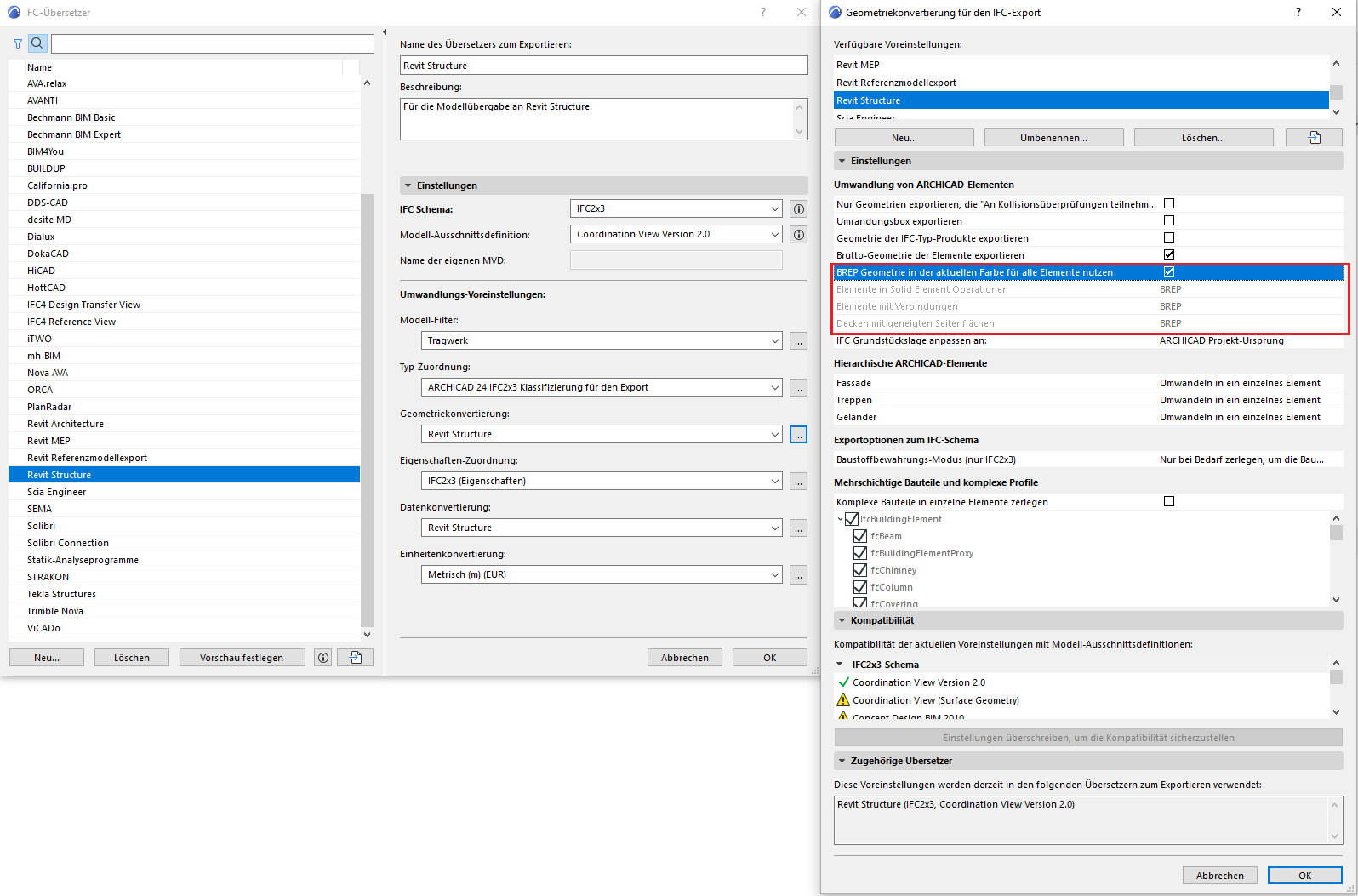
If you use the following settings in the IFC Translator in ArchiCAD for exporting, the exported IFC model can be partially edited in Revit.
- In the model section definition, select the "Basic FM Handover" setting.
- Select the "Extruded/rotated without connections" setting in the geometry conversion dialog box. (See image below)
- Select the "BIM4you" setting in the data conversion. This data conversion provides all alphanumeric information from the model.
Note: If all data is exported from ArchiCAD, the size of the IFC file will increase significantly.

Unfortunately, this content is available only to our Pro users.
If you'd like to read the full article, try the Pro account or become a Pro user.