In a computer drawing or BIM model, a unit is the digital equivalent of a real-world value. For example, we refer to the unit of length "meter" when 1 unit in the digital tool corresponds to 1 meter in reality.
This article lists the unit formats used in the templates within the BOA area and, where necessary, explains their use in more detail.
Specifically, this concerns the use of certain formats in the TGA template for the electrical engineering discipline.
Project units specify the display format for units of measurement. Units are managed in Revit via >Menu: Manage >Command: Project Units. The discipline selection at the top of the Units window displays a list of all units and offers a setting option in the right-hand "Format" column:

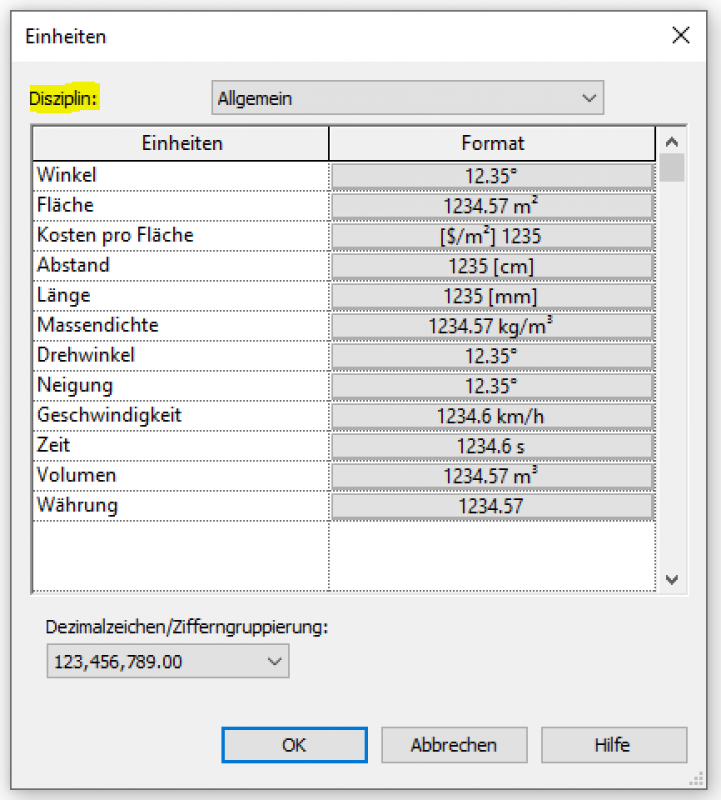
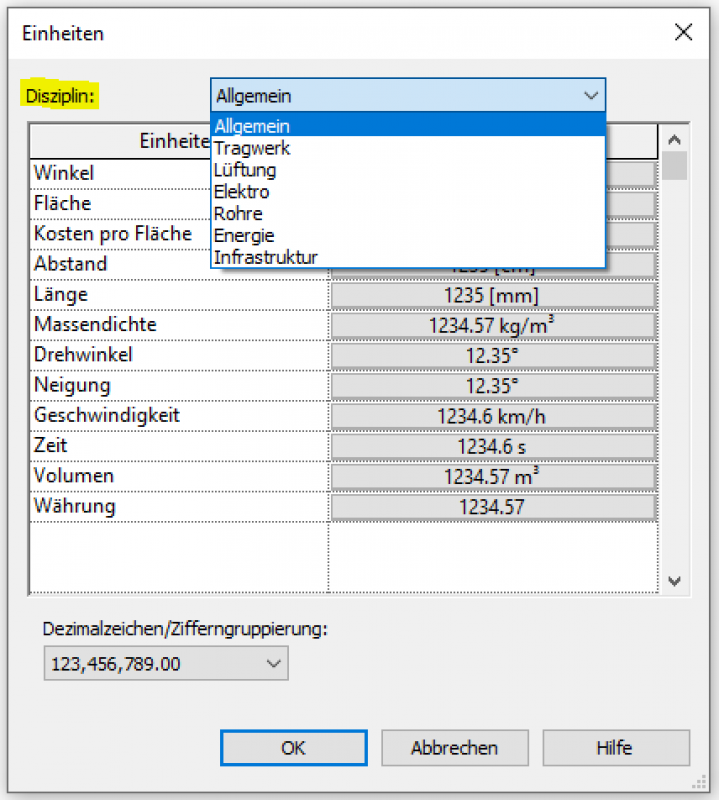
Select a discipline and unit to specify the precision (rounding) and the symbol used to display the unit in a project.
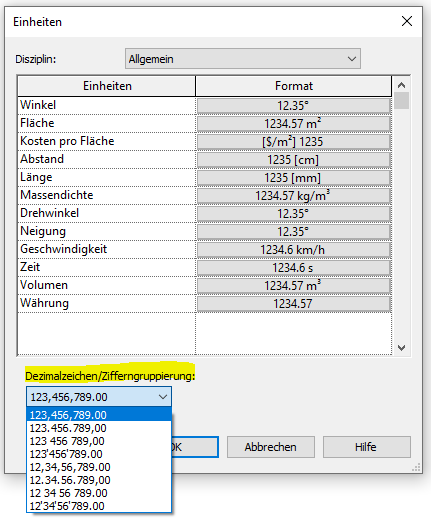
All unit formats in the construction template are in meters.
Unlike the Building template, the "Length" unit in the MEP template is specified in millimeters because the use of specialized components often requires input in millimeters.
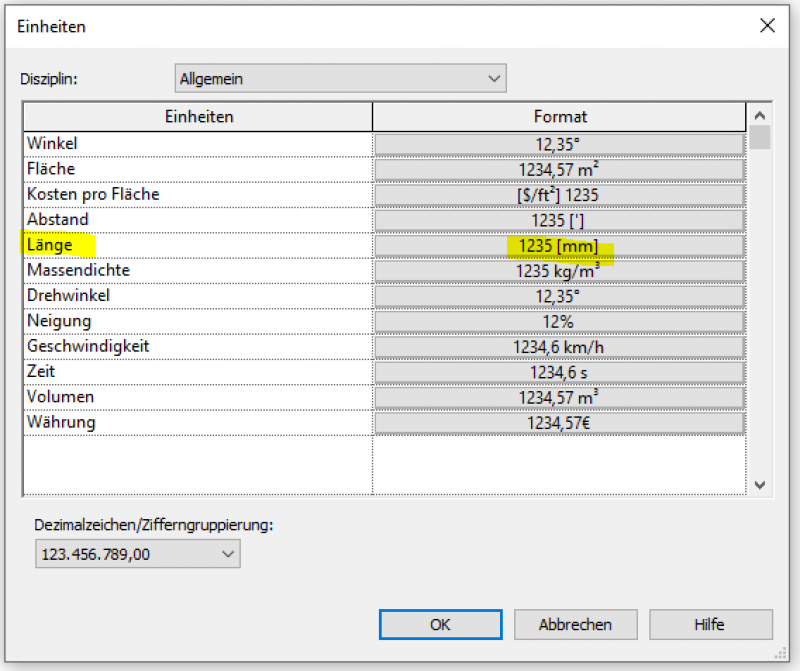
All other unit formats in the TGA template are specified in meters, just like in the construction template.
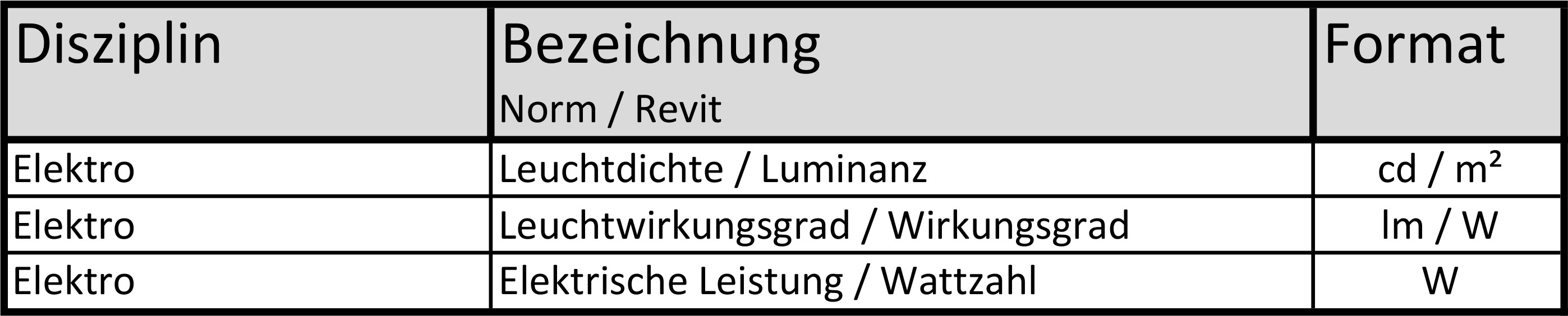
The following list contains information on specific unit formats for electrical measurements: