
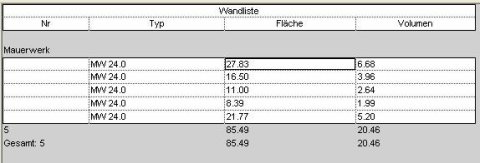
The "Calculated Values" feature in Revit part lists (i.e., tabular displays of parameter values) allows you to calculate additional values that do not yet exist using project parameters and formulas.
This tutorial provides an overview of the calculation functions in parts lists and presents an example that illustrates how they can be used.

Unfortunately, this content is available only to our Pro users.
If you'd like to read the full article, try the Pro account or become a Pro user.