
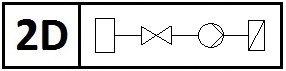
A schematic is a 2D representation of a virtual building services system. This article provides instructions on how to create a schematic and how to work with the components in a Revit project.
For example, learn more about creating a drawing view, importing existing schematics and details, and inserting 2D families.
Search terms: schematic, schematics, schematics, schematics, circuit diagrams, circuit diagram, detail element, detail elements, system diagram, electrical diagram, 2D families, 2D symbol, 2D symbols, schematic symbol, schematic symbols, diagram symbol, BS_300, BS_300_Dtai, SB_400, BS_400_Dtai, Dtai, BS_Dtai

Unfortunately, this content is available only to our Pro users.
If you'd like to read the full article, try the Pro account or become a Pro user.